Linux File Permissions Explained (chmod, chown Guide)
Learn how Linux file permissions work and how to use chmod and chown to control access to files and directories.
Linux File Permissions Explained (chmod, chown Guide)
Understanding file permissions is one of the most important skills in Linux. It controls who can read, write, and execute files on your system.
What Are File Permissions?
Every file and directory in Linux has permissions assigned to it. These permissions determine who can access or modify the file.
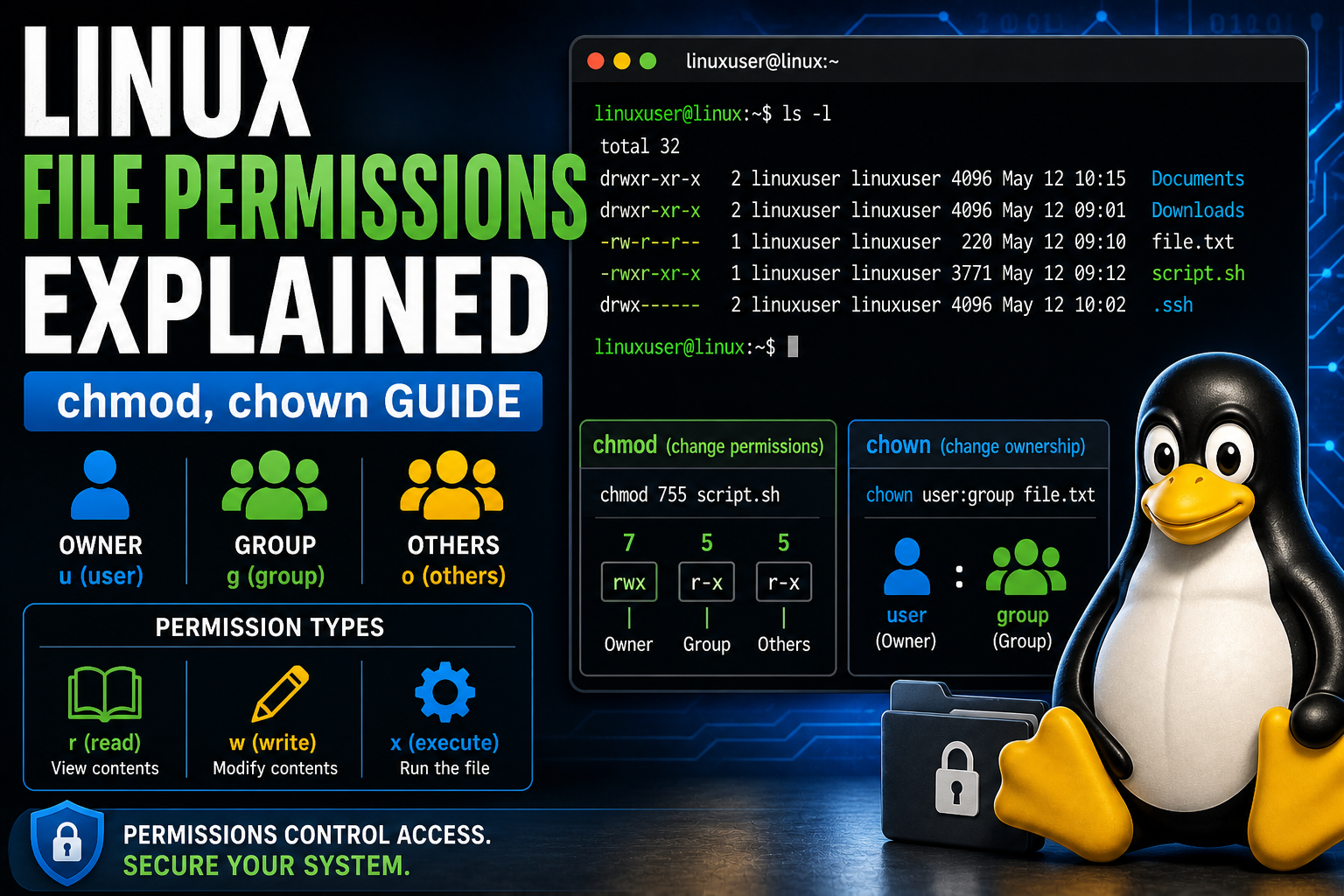
There are three types of users:
- Owner – The person who created the file
- Group – Users who share access
- Others – Everyone else
Permission Types
- r (read) – View contents
- w (write) – Modify contents
- x (execute) – Run the file
Viewing Permissions
ls -lExample output:
-rwxr-xr-- 1 user user file.txtBreakdown:
- Owner: rwx (read, write, execute)
- Group: r-x (read, execute)
- Others: r-- (read only)
Using chmod (Change Permissions)
chmod allows you to change file permissions.
chmod 755 script.shMeaning:
- 7 = read + write + execute
- 5 = read + execute
- 5 = read + execute
You can also use symbolic mode:
chmod u+x script.shThis adds execute permission for the owner.
Using chown (Change Ownership)
chown changes the owner of a file.
chown user:group file.txtThis assigns the file to a new user and group.
Why Permissions Matter
- Prevent unauthorized access
- Protect system files
- Ensure proper application behavior
Common Mistakes
- Using chmod 777 (unsafe)
- Giving too many permissions
- Not understanding ownership
Best Practice
Always use the minimum permissions necessary for a task.
Practice in a Real Environment
The best way to learn permissions is by trying them yourself.
👉 Practice file permissions in a live Linux lab now
Final Thoughts
File permissions are a core part of Linux security. Mastering them will make you a more confident and capable Linux user.
Practice Linux Commands for Free
Reading is helpful, but Linux skill comes from practice. Create a free account and use Linux Certification University’s live Linux lab, command guides, modules, quizzes, and troubleshooting practice.
Create Free Account Back to Blog